
You’re looking for a brioche recipe, stumble across a zucchini gratin, and end up leaving the site without finding the baking section. On a content-rich cooking website, the main menu isn’t always enough to help you find every available category. The sitemap, often overlooked by visitors, solves this problem by listing all the sections and pages in one place.
XML sitemap and HTML sitemap: two tools with very different purposes
When people talk about a “sitemap,” they often mean two different things. An XML sitemap is intended for search engines, not people. It’s a technical file that lists raw URLs so Google or Bing can discover them. Open an XML sitemap in a browser, and you’ll see a string of addresses with no readable organization.
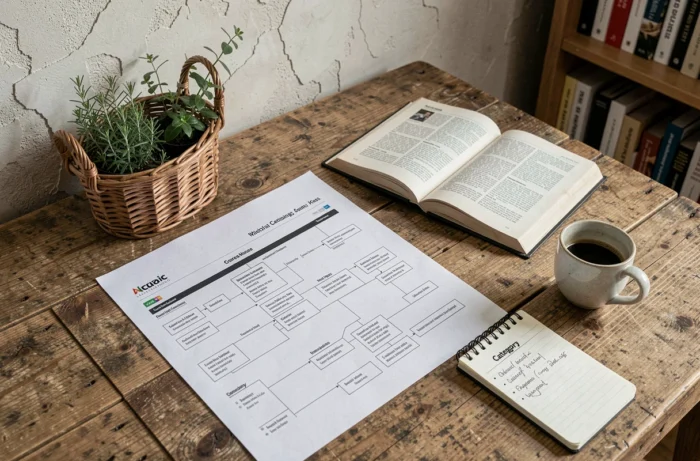
An HTML sitemap, by contrast, is a page designed for visitors. Links are grouped by section, with clear labels such as starters, main courses, desserts, and cooking techniques. You browse by category instead of trying to decipher URLs.
When exploring the sections of a cooking website, it’s the HTML version that matters. You’ll usually find it in the site’s footer under a discreet link labeled “Sitemap.” For example, the Easy Cooking sitemap organizes all its sections by topic, so you can go straight to the category you’re looking for without using the site’s internal search.
One thing to keep in mind: Google explains that submitting an XML sitemap is a signal, not a guarantee of indexing. A recipe listed in a sitemap may not appear in search results. An HTML sitemap, on the other hand, shows what’s actually available on the site and lets you access it with a click.

Cooking website navigation: when the menu isn’t enough
A cooking website’s main menu shows the broad categories: savory recipes, sweet recipes, and drinks. It’s a quick starting point, but it hides much of the content. Subcategories such as “gluten-free recipes,” “batch cooking,” or “Asian cuisine” may only appear after several clicks, if they appear at all.
This becomes a problem as soon as a site has more than a few hundred recipes. The dropdown menu turns into a maze, and secondary sections get lost in nested submenus. A sitemap gets around this limitation by displaying all the categories on a single page, with no hierarchy to expand.
A practical example: finding a seasonal section
Take an “autumn recipes” section published in October. By January, it often disappears from the main menu to make room for king cakes. The content is still there, but its link has been removed from the current navigation.
Check the sitemap, and you’ll find the section listed alongside the others, with a direct link. There’s no need to guess the URL or dig through the archives month by month.
What makes a recipe sitemap useful?
Not all sitemaps are created equal. A sitemap that lists pages by publication date, from newest to oldest, repeats the drawbacks of a typical blog: you scroll endlessly without any topical signposts. A useful sitemap organizes content by search intent, not chronology.
The groupings that work best on a cooking website follow the way people cook:
- By type of dish (starters, main courses, desserts, side dishes): the most intuitive way to browse when you know what you want to make
- By diet or dietary restriction (vegetarian, dairy-free, low-sugar): essential for readers who routinely filter their searches
- By main ingredient (chicken, salmon, lentils): useful when you’re starting with what’s in the fridge rather than a specific craving
- By preparation time or difficulty: a criterion few sites highlight in their sitemap, even though it’s a common search
This intent-based organization goes well beyond what a standard dropdown menu can offer, with its limit of two or three levels.
How to explore a cooking website using its sitemap
Finding the sitemap rarely takes more than a few seconds. Start by checking the footer at the bottom of the page, where most sites place the link. If you don’t see one, try adding “/sitemap/” or “/plan-du-site/” to the domain name.
How to use the sitemap once you’ve found it
Once you’re on the page, don’t read it from top to bottom like an article. Scan it for section names that match what you’re looking for. A sitemap works like the table of contents in a cookbook: find the chapter, click it, and go straight to the right section.
On larger sites, your browser’s search function (Ctrl+F or Cmd+F) makes it quicker to find what you need. Type “tart” or “vegetarian” into the page’s search bar to highlight every section and page containing that term.
What a sitemap can’t replace
A sitemap doesn’t let you filter recipes by rating, popularity, or how recently they were added. Nor does it replace a good internal search engine when you’re looking for a specific recipe by name. Its role is complementary: it shows the full breadth of the available content, whereas the menu and search engine only show a selected portion.
Not every site offers an HTML sitemap. Some cooking websites don’t have one at all, or provide only a technical XML sitemap. In that case, your options are the menu, the internal search bar, or a Google search operator such as “site:example.com” followed by your search term.
A sitemap remains the most direct way to map out a cooking website in just a few minutes. Before trying one random search after another, take a quick look at this often-overlooked page to save time and discover sections you might never have found otherwise.