
An “service unavailable” message on urssaf.fr just hours before a contribution filing or payment deadline puts employers and self-employed workers in a difficult position. Problems connecting to the Urssaf website may be caused by scheduled maintenance, a corrupted browser cache, a change to the authentication process, or an Urssaf server outage. Each cause calls for a different technical response—and, above all, a strategy for documenting the issue if it coincides with a deadline.
Documenting an attempt to file or pay during an Urssaf outage
During a prolonged outage, the main risk is being charged a late filing or payment penalty even though the website was inaccessible.
To protect yourself, document every failed login attempt. A timestamped screenshot of the error page (an “service unavailable” message, blank page, or maintenance page) can serve as evidence. Enable the date and time display in your browser toolbar, or use a screenshot tool that automatically adds a timestamp.
If the outage continues past the deadline, send a message through the “Exchanges with my Urssaf” section as soon as the online service is back up. Describe the period of unavailability, attach your screenshots, and explicitly request a waiver of late-payment penalties related to the incident. Urssaf has the authority to grant a discretionary waiver when the delay results from a malfunction in its own digital services.
Also keep a record of all correspondence: the contact form acknowledgment, confirmation email, and case number. These records can serve as evidence in the event of a later dispute or an appeal to the amicable appeals committee.
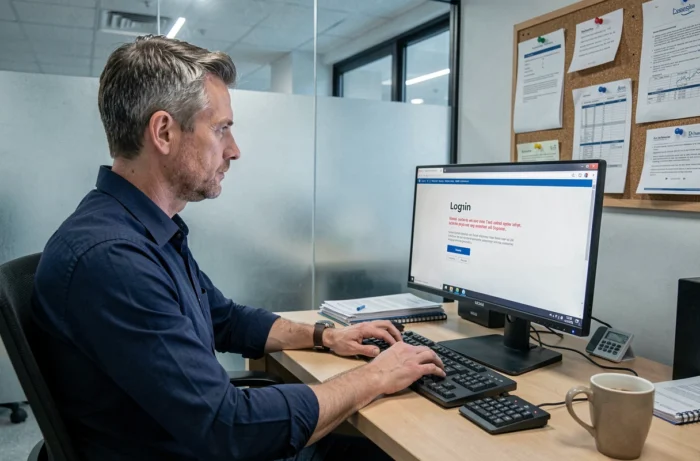
Urssaf online account login errors: technical troubleshooting
When an inaccessible Urssaf website or login problem is not caused by a server outage, the issue usually lies with the user’s device. We have identified three common causes.
- Browser cache and cookies: Old sessions stored locally can cause redirect loops or authentication errors. Clearing the cache and cookies for the urssaf.fr domain, then restarting the browser, resolves most client-side issues.
- Outdated or incompatible browser: Urssaf services use recent TLS protocols. A browser that does not support TLS 1.2 or higher will be rejected without a clear error message. Up-to-date versions of Firefox, Chrome, and Edge work without issue.
- Security extensions or VPNs: Some script blockers, corporate firewalls, or virtual private networks intercept requests to Urssaf authentication servers. Trying to log in in a private browsing window with extensions disabled quickly helps identify this cause.
If the problem persists after these checks, try accessing the site from another network (such as a mobile hotspot). The same failure on two different networks confirms an Urssaf server-side issue.
Changes to authentication for employer and self-employed accounts
Urssaf has changed its login processes several times in recent years. The move to new portals (from the former employer account to the unified platform, and updates to Cesu online) has disrupted access for users who still rely on old bookmarks or login details.
Old login links may redirect to a maintenance page even when the service is working normally. Make sure you are using the current URL: mon.urssaf.fr for self-employed workers, and the dedicated employer account accessible from urssaf.fr. Delete any bookmarks saved before the latest migration and replace them with the current links.
The password reset process has also changed. If the “forgot password” page returns an error, it is often because the email address associated with the account has changed format in the new database. In that case, the only option is to contact Urssaf directly via the contact form or by phone to link the correct login details to the account.
What to do if the Urssaf website remains unavailable past the filing deadline
File through an alternative channel
If the online service remains unavailable past the deadline for filing or paying contributions, filing through an alternative channel can protect you from penalties. Depending on the circumstances, a DSN or turnover declaration may be submitted via electronic data interchange using certified payroll software, independently of the Urssaf web portal.
For auto-entrepreneurs and self-employed workers who file exclusively through the website, calling 3698 allows you to report the technical issue and agree on an extension. Make a note of the representative’s name, the time of the call, and the case number provided.
Appealing late-payment penalties
If penalties are applied despite the outage, you can appeal to the amicable appeals committee (CRA) of your Urssaf office. Your appeal letter should state the period during which the service was unavailable, include evidence of your login attempts, and request a full waiver of the penalties.
Urssaf regularly acknowledges technical issues with its platforms on the Services Publics+ portal, where users have reported hundreds of similar experiences. These public reports can provide useful context to support a request for a discretionary waiver, although they do not constitute individual proof.
In practice, the strongest case combines a timestamped screenshot, a documented contact with Urssaf during the outage, and a declaration submitted as soon as the service is restored. These three elements significantly increase the chances of having the penalties waived by the CRA.